Cityscapes Dataset
Introduction
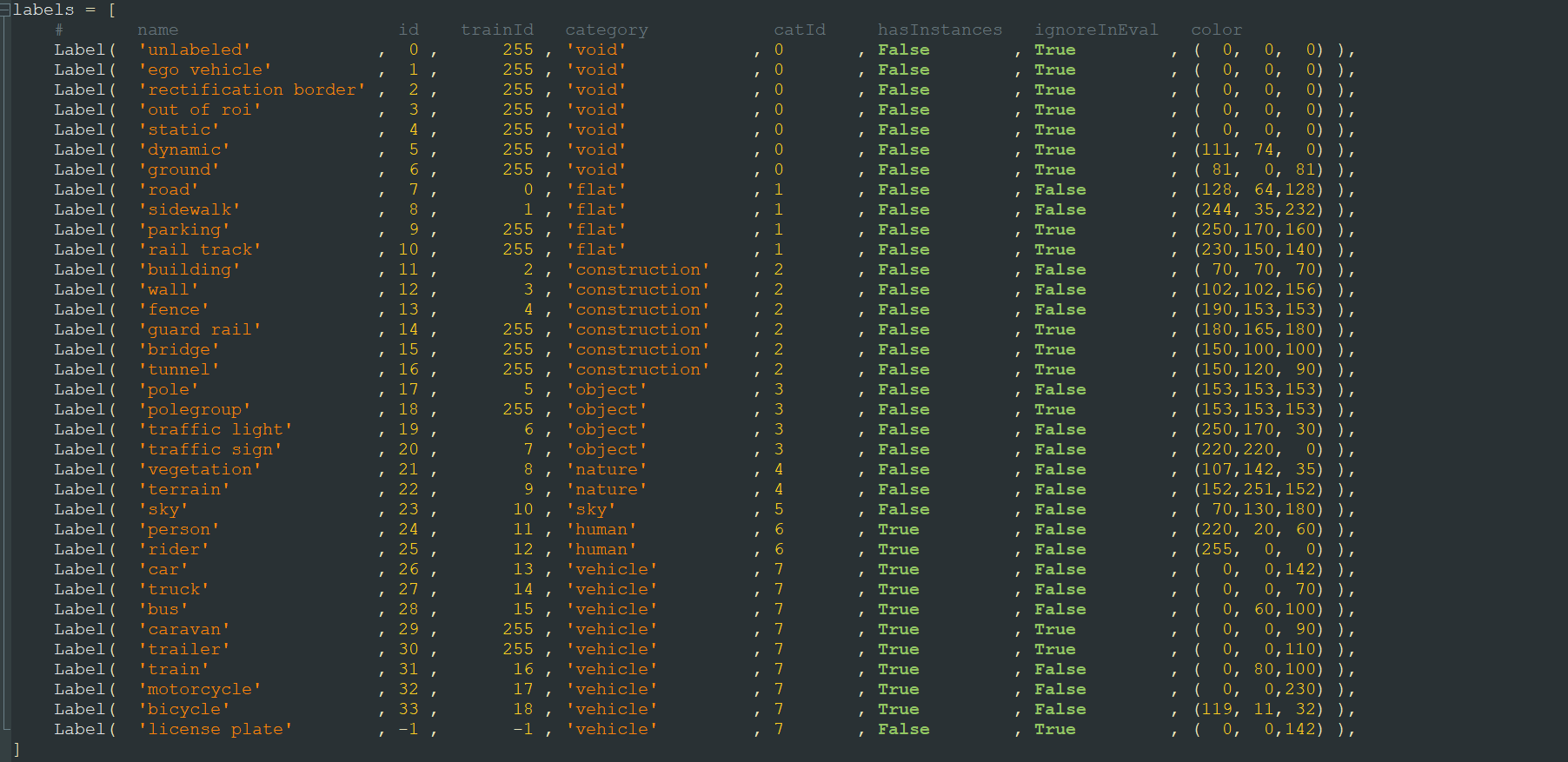
Cityscapes is commonly used for semantic segmentation and its data is divided into 8 categories, including one named “void.” Each category contains multiple classes. Cityscapes has a total of 30 classes, but after numbering, there are 35 labels, including some like “unlabeled” that aren’t considered classes.
The paper typically uses only a portion of the data, specifically the finely annotated dataset. Other coarsely annotated datasets are used less frequently. Below, I’ll introduce the commonly used data.
Some of the commonly used data is shown in the image below: 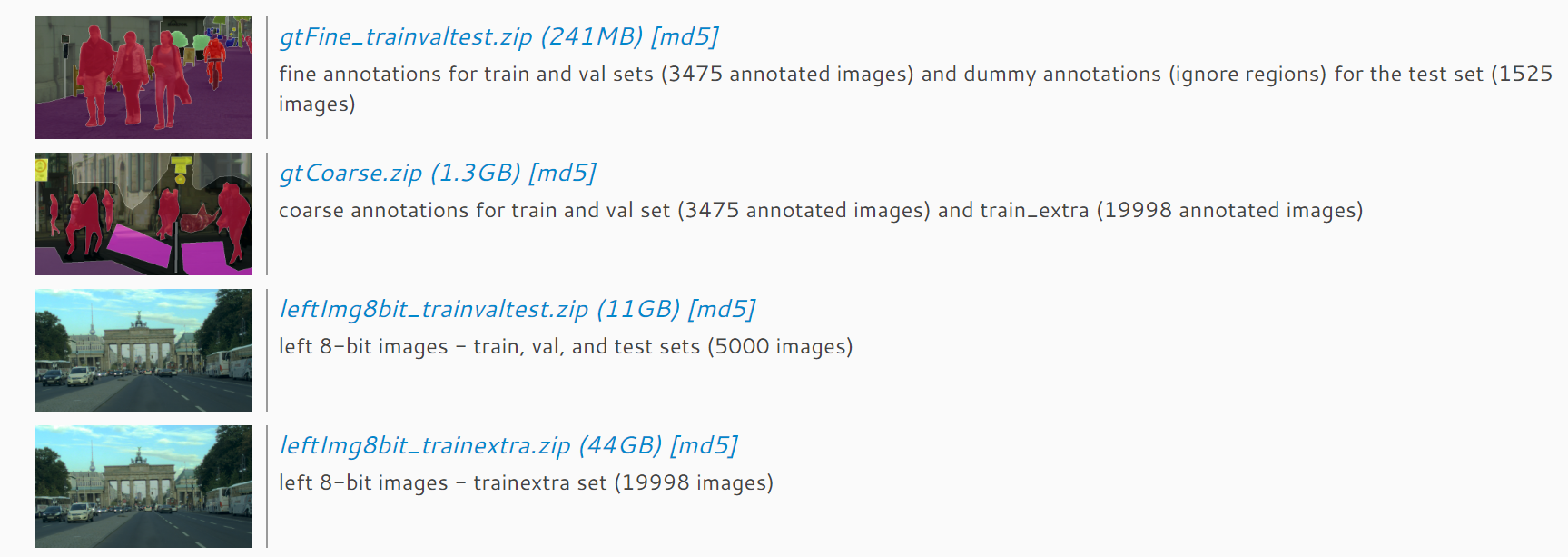
The top two images are the annotated masks, and the bottom two are the original data, i.e., 8-bit photos. These two pairs of data are also divided into two parts: one is finely annotated, and the other is coarsely annotated extra data, corresponding to train_extra, which is usually not used for training. For the finely annotated data, there are 5000 photos and corresponding annotations, with 2975 used for training, 500 for validation, and 1525 for testing and benchmarking.
Cityscapes Annotated Data
Here, I’ll focus on the annotated data in Cityscapes, which is a bit more complex. For each image, there are four types of annotations, all contained in the gtFine folder. The four annotations for each image are: xxx_gtFine_color.png, xxx_gtFine_instanceIds.png, xxx_gtFine_labelIds.png, and xxx_gtFine_polygons.json. The xxx_gtFine_color.png is a color representation of the annotations, mainly used for visualization. The xxx_gtFine_instanceIds.png is used for instance-level segmentation tasks, xxx_gtFine_labelIds.png is used for pixel-level segmentation, and xxx_gtFine_polygons.json contains detailed annotation information, including image dimensions, annotation categories, and polygon vertices. 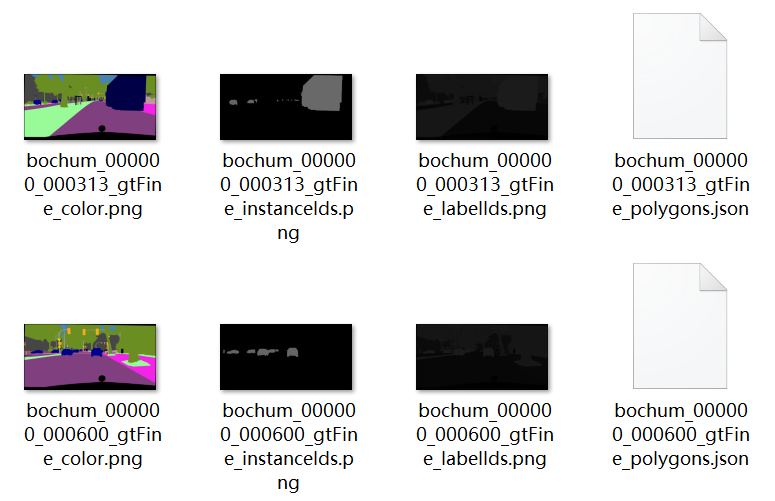
It’s important to note that these files are not suitable for direct training. Cityscapes assigns a number to each label, including the sky, which we call the absolute number.
For instance-level tasks, in xxx_gtFine_instanceIds.png, the grayscale value of each pixel does not directly correspond to these IDs and requires some functions to convert them. These functions can be found in citycapesscripts, and the converted file is xxx_gtFine_instanceTrainIds.png, which can then be used for instance-level training.
For pixel-level tasks, xxx_gtFine_labelIds.png cannot be directly used as annotations either. The grayscale values here represent the absolute numbering of each label in Cityscapes, and many of these labels are not used in training or the final validation, such as the sky. Therefore, these numbers also need to be converted. You can use the createTrainIdLabelImgs function in citycapesscripts to convert them to xxx_gtFine_labelTrainIds.png. Here, each pixel’s grayscale value is a temporary number, ranging from -1, 0->18, 255, where -1 and 255 are not detected in validation, so they can be classified as number 19. Thus, the final training numbers become 0-19, totaling 20 label categories. It’s important to note that if you want to submit results to the Cityscapes benchmark, you must convert these classifications back to absolute numbers before uploading. The correspondence between various numbers and colors can be found in the labels.py file in citycapesscripts, where trainId is equivalent to the temporary number used for pixel-level segmentation training.